
Artificial Intelligence (AI) is no longer a buzzword, it is here to stay, and is revolutionizing the way we learn, create and do business. While the rest of the world is playing with the basics of AI, Google has been working hard on building an entire suite of AI tools, which it has seamlessly linked together to create a fully integrated Google AI ecosystem.
Interestingly, this ecosystem isn’t being loudly advertised. The future isn’t yet visible, at least not to the average human yet. Rather than arriving in a dramatic display of pyrotechnics, the future is quietly working away in the background. Adopting innovation and tools first means being in a position to benefit greatly from their game-changing impact. I’m in the process of learning about what appears to be a wide variety of tools that can, for example, take text from, say, a document and automatically turn it into an audiobook-style podcast. I’ve also been playing around with generating more realistic and lifelike looking and animated videos and images.
So, if you’ve been feeling like AI is moving too fast, don’t worry. In this blog, you’ll understand exactly how this ecosystem works, what each tool does, and how you can start using them today.
What is the Google AI Tools Ecosystem
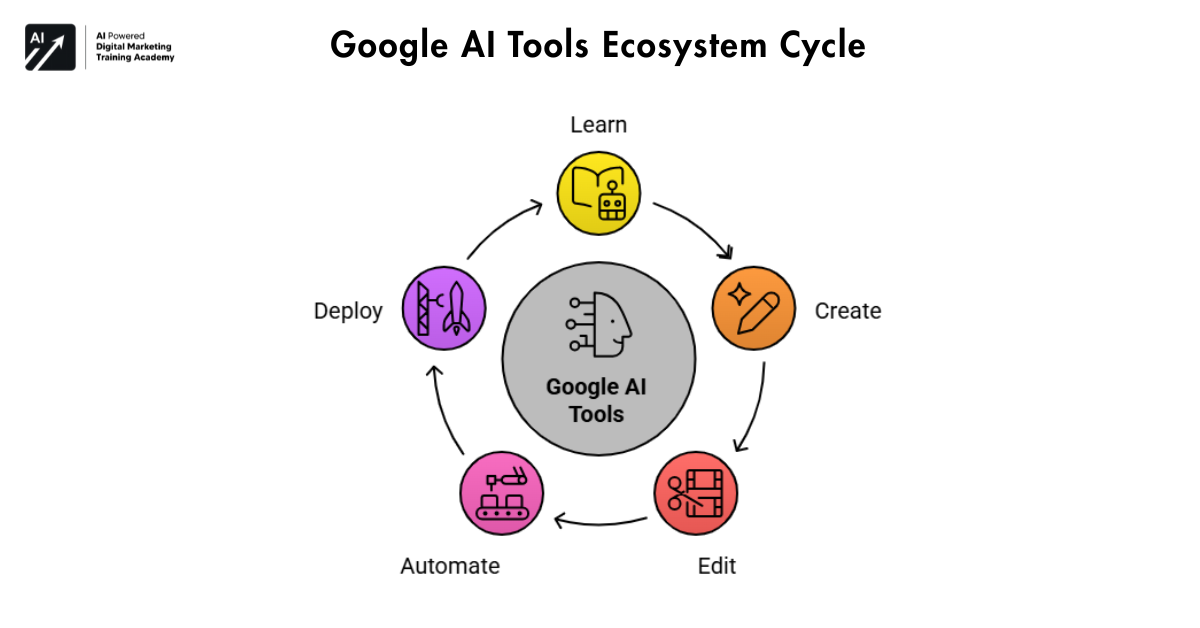 The Google AI tools ecosystem is a network of interwoven AI platforms for every aspect of digital work from learning, creating, editing and automating.
The different tools that make up this environment don’t work as independent applications. Rather, they work in a workflow fashion where the output of one program can be used as the input to another. And that’s very powerful.
Why Google’s AI Strategy is Different
Most AI companies focus on one area either text, images, or automation. However, Google is building an integrated system. That means:
- You can learn using one tool
- Create content using another
- Automate tasks using a third
- And deploy everything without coding
Because of this, users don’t need multiple disconnected tools anymore.




How These Tools Create a Complete Workflow
For example:
- You upload a PDF into NotebookLM
- It converts it into a summary or podcast
- Then you use Gemini Gems to create content
- Next, generate visuals with Imagen or Nano Banana
- Finally, build a tool using Opal
This flow is what makes the Google AI tools ecosystem truly powerful.
NotebookLM – The AI That Turns Content into Conversations
If there’s one tool that feels like magic, it’s NotebookLM. Instead of just reading content, it helps you understand it.
How NotebookLM Works
You can upload:
- PDFs
- Articles
- YouTube videos
- Audio files
Then, the AI processes everything and transforms it into easy-to-consume formats.
Key Features
- Podcast-style explanations
- Smart summaries
- Mind maps
- Context-aware insights
Because of these features, learning becomes faster and more engaging.
Best Use Cases
- Students preparing for exams
- Bloggers researching topics
- Professionals analyzing reports
In short, NotebookLM saves hours of manual reading.
Gemini Gems – Build Your Own AI Assistants
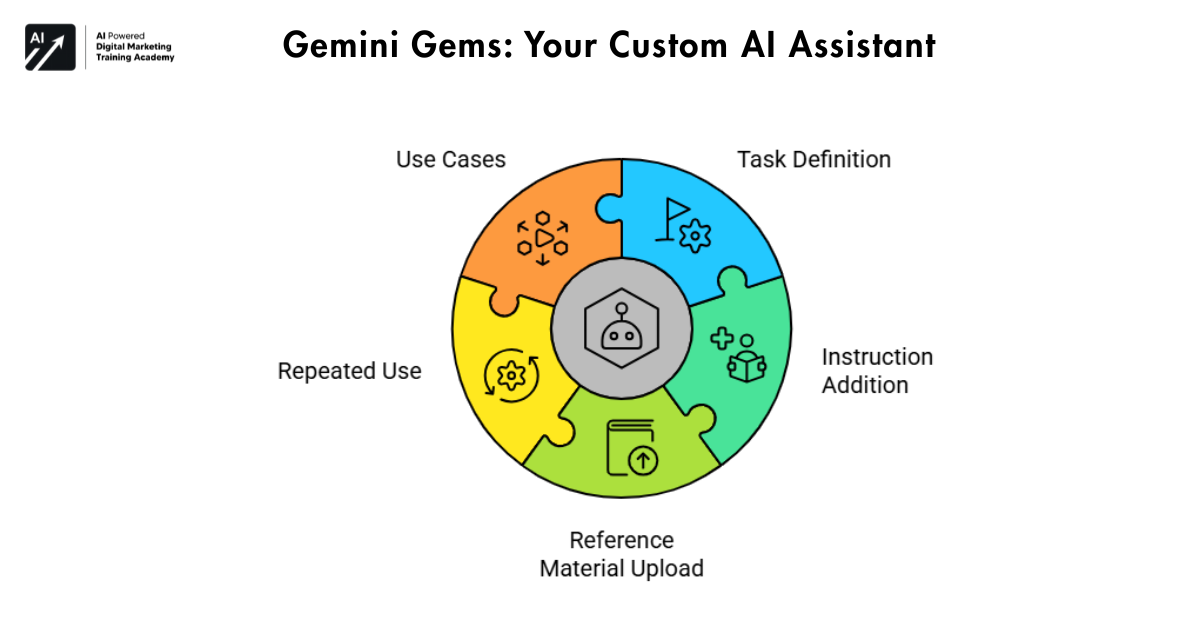 Now imagine having your own AI employee. That’s exactly what Gemini Gems offers.
What are Gemini Gems?
Gemini Gems allows you to create custom AI agents with specific instructions. You can train them using your own data and workflows.
How to Create Custom AI Agents
- Define the task (e.g., writing ads)
- Add instructions
- Upload reference material
- Use it repeatedly
As a result, your AI becomes smarter over time.
Use Cases
- Ad copy generation
- Social media content
- Email marketing
- Script writing
Therefore, instead of doing repetitive work, you can automate it completely.
Lumiere – Google’s Realistic Video Generation AI
Video content creation is growing rapidly. However, creating videos manually takes time. That’s where Lumiere comes in.
What Makes Lumiere Different
Unlike other video tools, Lumiere focuses on realistic motion. So, the videos feel natural rather than robotic.
Text-to-Video Capabilities
You are simply:
- Enter a prompt
- Add an image (optional)
- Generate a video
Within seconds, you get smooth, lifelike visuals.
Real-World Applications
- YouTube content
- Marketing videos
- Educational clips
Because of this, even beginners can create professional videos.
Nano Banana – Fast and Creative Image Generation Tool
While the name may sound unusual, Nano Banana is incredibly powerful.
Features and Strengths
- Fast image generation
- High creativity
- Easy editing
Moreover, it produces visual appealing designs instantly.
Why Creators Prefer It
- Saves time
- Requires no design skills
- Generates unique visuals
Practical Use Cases
- YouTube thumbnails
- Instagram posts
- Blog images
So, if you need quick creative output, this tool is perfect.
Google Imagen 3 – The Most Realistic AI Image Generator
 When it comes to realism, Imagen 3 stands out.
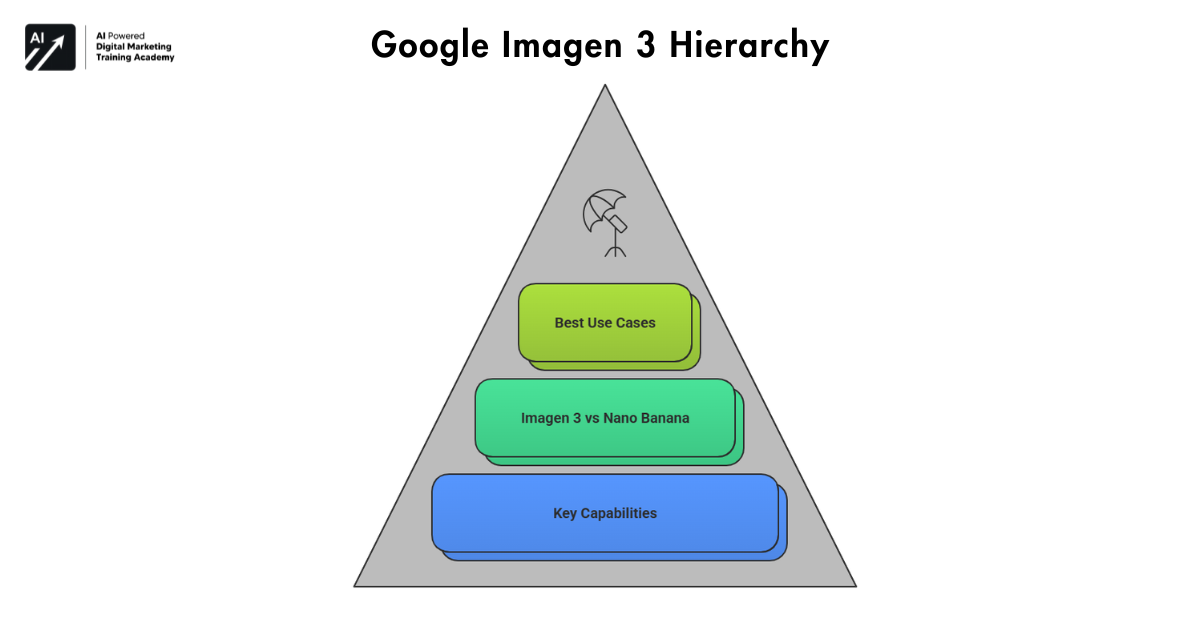
Key Capabilities
- Hyper-realistic images
- Professional-quality output
- Accurate prompt understanding
Imagen 3 vs Nano Banana
- Imagen 3 → Realistic visuals
- Nano Banana → Creative designs
Therefore, you can choose based on your needs.
Best Use Cases
- Product photography
- Ads and branding
- Website visuals
As a result, businesses can create studio-quality images without expensive shoots.
Google Whisk – Blend Multiple Images Into One
Sometimes, a single image isn’t enough. That’s where Google Whisk becomes useful.
How Whisk Works
You can upload up to three images and combine them into one seamless composition.
- Creative Possibilities
- Mix different environments
- Combine objects
- Create new scenes
Who Should Use It
- Designers
- Marketers
- Content creators
Because of this, your creativity has no limits.
Google Opal – Build AI Apps Without Coding
One of the biggest barriers in AI is coding. However, Google Opal removes that completely.
What is Opal?
Opal is a no-code platform that lets you build AI-powered apps instantly.
How It Simplifies App Creation
- No programming required
- Drag-and-drop logic
- Multi-modal support
Use Cases for Businesses
- Chatbots
- Internal tools
- Automation systems
Therefore, even non-technical users can build powerful applications.
Google AI Studio – The Hub of All AI Tools
All these tools come together in one place: Google AI Studio.
What You Can Access
- Image generation models
- Video tools
- Text AI
- Experimental features
Why It Matters
It gives early access to cutting-edge technology. So, you stay ahead of competitors.
Future of the Ecosystem
As Google continues to innovate, AI Studio will likely become the central hub for everything.
How These Tools Work Together (Complete AI Workflow)
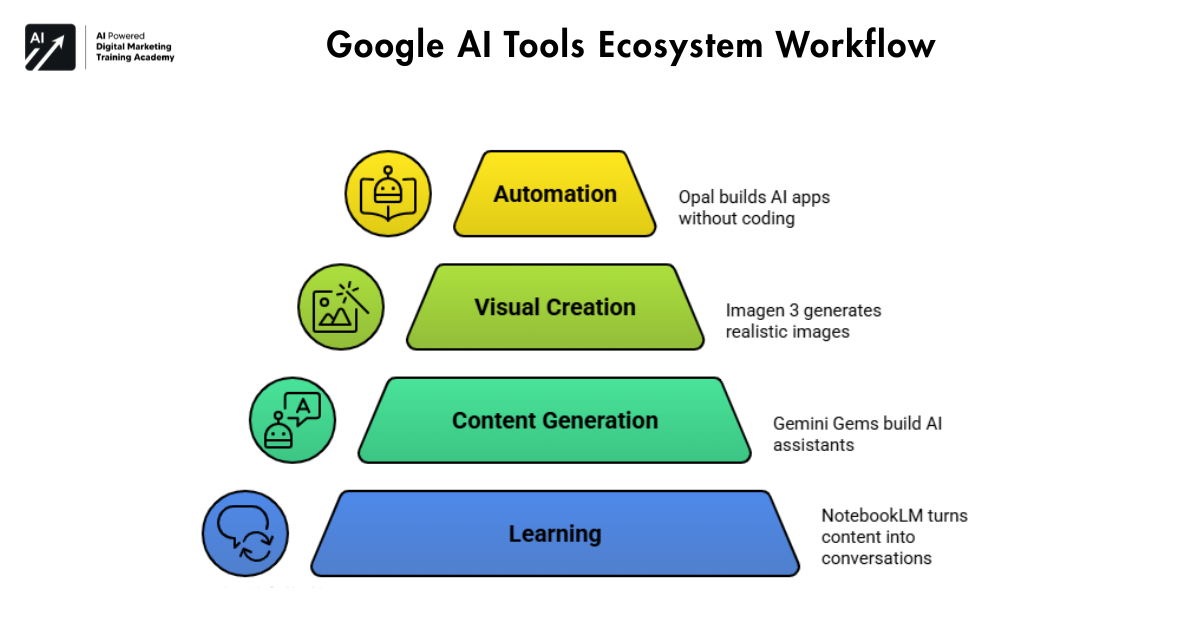 Now let’s connect everything.
From Learning to Creation
First, you learn using NotebookLM. Then, you generate content with Gemini Gems.
From Creation to Automation
Next, you create visuals using Imagen or Nano Banana. After that, you automate workflows using Opal.
Example Workflow
- Upload research → NotebookLM
- Generate content → Gemini Gems
- Create images → Imagen 3
- Build tool → Opal
Because of this flow, the Google AI tools ecosystem becomes incredibly efficient.
Why Most People Haven’t Noticed This Yet
Many people are still unaware of this ecosystem.
Hidden Nature of These Tools
Google hasn’t heavily marketed them yet. Therefore, only early adopters are using them.
Future Impact
However, this will change soon. These tools will:
- Replace repetitive tasks
- Improve productivity
- Transform content creation
So, getting started now gives you a clear advantage.
Best Use Cases of Google AI Tools Ecosystem in Real Life
The real power of the Google AI tools ecosystem becomes clear when you apply it to real-world scenarios. Instead of using tools separately, you can combine them to solve practical problems efficiently.
For Content Creators
Content creators can streamline their entire workflow:
- Research topics using NotebookLM
- Generate scripts using Gemini Gems
- Create thumbnails with Nano Banana
- Produce videos using Lumiere
As a result, a single creator can handle what usually requires an entire team.
For Students and Learners
Students can completely transform how they study:
- Upload study material into NotebookLM
- Convert it into summaries or podcasts
- Revise faster using mind maps
Therefore, learning becomes more engaging and less time-consuming.
For Businesses and Marketers
Businesses can automate multiple operations:
- Generate ad copies using Gemini Gems
- Create product images using Imagen 3
- Build automation tools using Opal
Because of this, businesses can reduce costs and scale faster.
Google AI Tools Ecosystem vs Other AI Platforms
There are many different AI tools out there that can be used, but really Google AI tools, the whole ecosystem, really brings it all together and makes it more usable.
All-in-One vs Single-Purpose Tools
Most platforms focus on one function. For example:
- One tool for writing
- Another for images
- Another for automation
With Google, all of your information is stored in one place, so you don’t have to switch between different applications.
Workflow Efficiency
Other tools require manual effort to connect workflows. In contrast, Google’s ecosystem is designed to work together seamlessly.
Therefore:
- Less time switching tools
- Faster execution
- Better productivity
Long-Term Advantage
More powerful models are always being developed by Google. So the future of this ecosystem looks very bright.
Because of this, early users will have a strong competitive edge.
Frequently Asked Questions
Are these tools free to use?
Some tools are free, while some may require subscriptions or limited access.
Which tool is best for beginners?
NotebookLM is the easiest starting point.
Can I use these tools for business?
Yes, absolutely. In fact, businesses can benefit the most from automation and content creation.
Final Thought
The Google AI tools ecosystem is more than just a suite of individual applications and tools. Behind every application and tool is a group of highly skilled engineers and innovators. It represents a fundamental shift in how we work and create.
Even as a student, content creator or business owner these tools can save you a ton of time. Since every one of these tools play nicely with the others, you can construct really powerful workflows without too many app battles.
In conclusion, the earlier you start in this future, the faster you will catch up to the state of the art in the evolving world of deep learning and AI.