


Everyone knows that high quality content is needed to achieve a good ranking in search engine results. Yet many times we see that interesting and high quality content does not result in any hits at all. And this is often due to technological issues.
So that’s what we mean by On Page SEO. And this is where Technical SEO comes in. It is all about ensuring the back end of a site is search engine friendly. And it can crawl, understand, and index the pages you have created on the front end.
Technical SEO is the foundation for any website. When the foundation of a website is strong, search engines are able to crawl and index the website, which has a direct effect on rankings.
The purpose of this Technical SEO guide is to explain in detail what Technical SEO is, how it works, the common mistakes made in relation to it and finally how to technically optimize a website so that it will start to gain improvements in the rankings.
What is Technical SEO
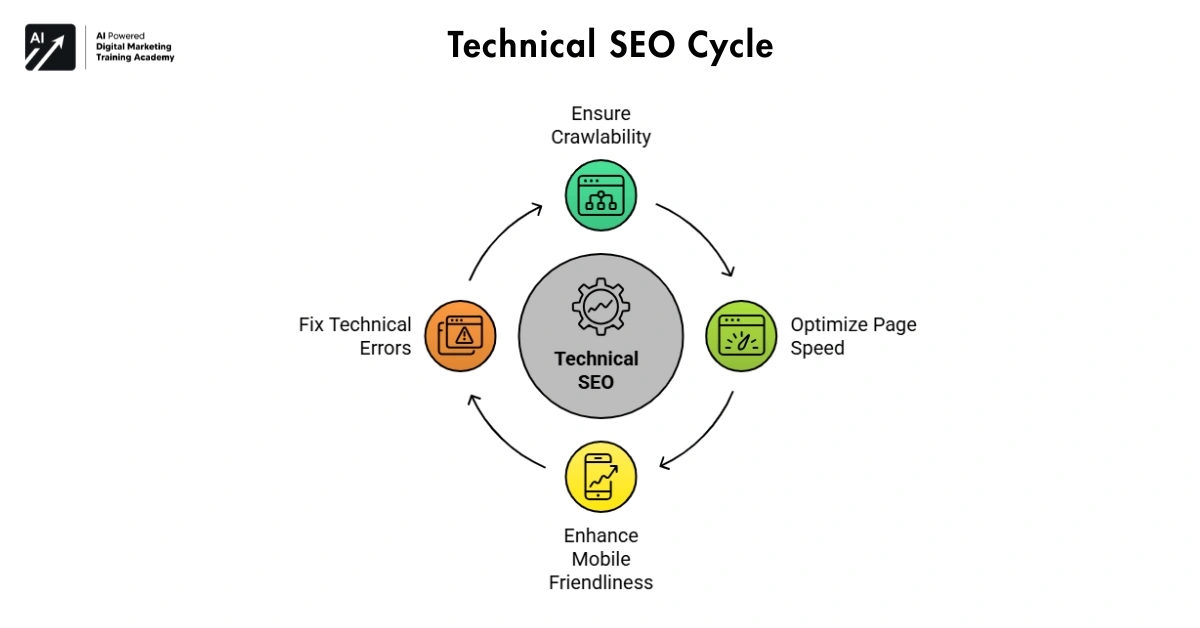 Technical SEO involves ensuring the structure and condition of the website is in a condition that will allow search engines to crawl, index, list sites and pages effectively.
If we look at the most basic level of differentiation between the two, we can define on page SEO as the optimization of content and keywords on your website and Technical SEO as the optimization of your site structure and technology.
For example, technical SEO helps ensure that:




- Search engines can discover all important pages
- Website pages load quickly
- The website works well on mobile devices
- There are no broken links or technical errors
Technical SEO for that reason is a very important factor for your website to be found.
Why Technical SEO Matters
Technical SEO is relevant because search engines need to crawl, read and index your website in order to rank it.
You may have the best content on the web, but if Search Engines (SEs) can’t crawl and index your site, your site will not show up in Search Engine Results Pages (SERPs).
Data structures are used to store information in a particular way so that it can be efficiently searched, sorted etc. A library has thousands of books, but it never organizes the titles of the books. So, it becomes very difficult to find a book.
Technical SEO is to make sure that the site structure of your website is in a state where search engines can crawl and index it.
They greatly affect the crawlability of a website and are often a ranking factor for pages and a way to get more organic traffic through the lens of technical SEO.
How Search Engines Work
In order to understand technical SEO, you must first understand search engines and how they work. Search engines like Google exist to gather data and provide results to searches made by people.
Search engines gather data from the web and use it to organize and provide relevant search results. To provide search results, search engines have to undergo three steps of work: crawling, indexing, and ranking.
Crawling
A search engine database is made up of information gathered by the search engine bot as it physically navigates the web and gathers specific sites. The search engine bot is also referred to as a crawler or spider.
The official Google crawler is called Googlebot. Googlebot visits websites and uses the information on every page it encounters in order to make a list of links to other websites.
If a website has good internal linking and structure, a crawler can quickly find all relevant pages.
Indexing
Information collected during the crawling phase is stored in a database called index.
At this stage, the Search Engine (SE) has to crawl and analyze content on your webpage: whether it is the text or even the graphics (images) and layout of your page, so that, if all conditions are satisfied, your website will be listed in the Search Engine Results Pages (SERPs).
Ranking
The search engine has taken the search query and scanned the index for the best possible results. It’s not done yet though the search engine still needs to display the results for the user. Finally, the search engine displays the relevant pages from the index to the user.
We take into account many criteria when assessing the quality of search engine rankings. Among these are the quality and relevance of the content of the webpage, as well as the loading speed of the site and its technical performance.
Therefore, technical SEO helps ensure that all these processes work smoothly.
Website Crawling Optimization
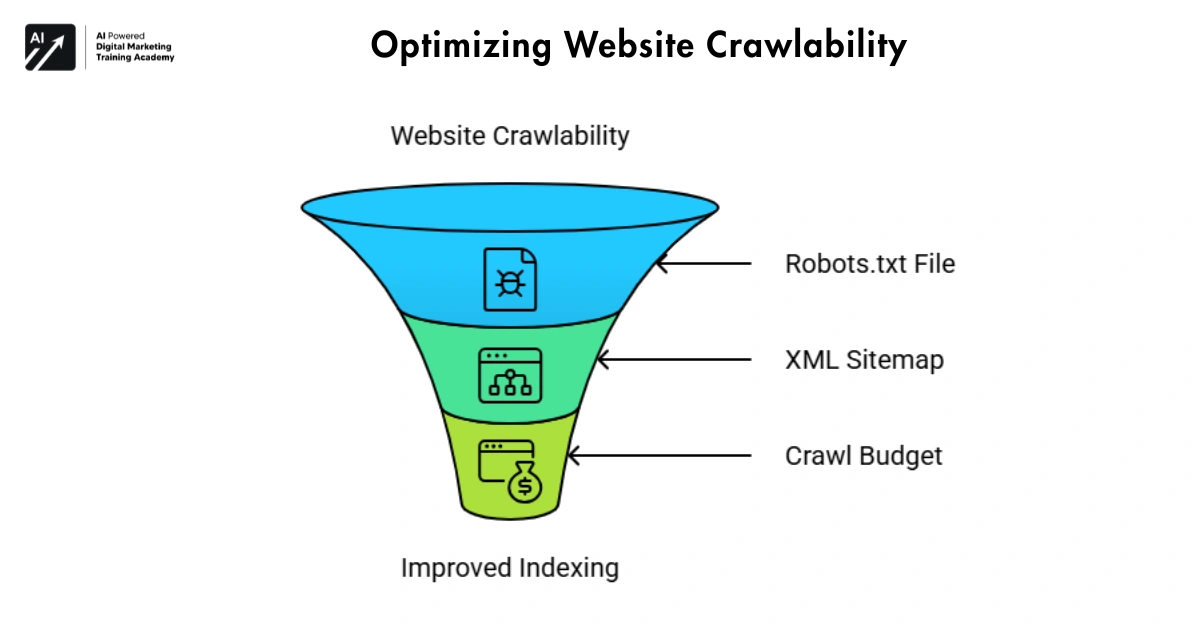 Crawling is a stage in the process of a search engine’s operation. If a search engine has trouble crawling your site, then your site and content will not be indexed.
Therefore, improving crawlability is an important part of technical SEO.
Robots.txt File
A robots.txt file informs search engine crawlers and other web robots which files on a website to not follow or download. The primary function of this file is to direct crawlers to follow or not follow specific URLs on a given domain.
They might instruct the search engines to exclude their login page, admin page or in fact the second edition of the same page using the robots.txt file.
Some typos or bugs in this file may prevent the display of very important pages and they are then frequently excluded from search results.
XML Sitemap
An XML sitemap is a list of URLs for a site that serves the purpose of a roadmap for the website. A sitemap is a document that lists all the URLs of the various web pages of a website.
New tip from Google: Sitemaps, added in Search Console and submitted can help search engines “discover new pages more quickly”.
This is especially useful for large websites with many pages.
Crawl Budget
Every Search Engine has a limited crawl budget for every website. The crawl budget is the number of pages a search engine can crawl on your site over a period of time.
More pages in your site are better than less. The more a search engine crawler has to look at, the more information it has to index about your site. You should limit unnecessary content pages such as duplicate content, alternate versions of pages and dead links.
Website Indexing Optimization
So, we have a Crawler which has gone out and found content which has been updated, or which is new content, and now we need to consider whether the search engine is interested in keeping this content in the database for later searching.
To summarize, the Crawling activity finds content on the web (old content and new content) and now we have an Indexing activity which is a consideration by the search engine as to whether this content is to be included within the database.
Therefore, proper indexing is essential for search visibility.
Canonical Tags
There are many scenarios in which you will have more than one page on a site which has the same content.
The canonical tag solves this problem by enabling the Search Engines to decide which version of the page to make the main page.
As a result, search engines avoid confusion and index the correct page.
Noindex Tags
The noindex tag instructs search engines not to index certain pages.
You can also use the noindex directive to control how search engines treat types of pages that may not really be worthy of being crawled and included in the search engine indexes like thankyou pages, login pages, etc.
Using this tag correctly helps maintain a clean and organized index.
Website Architecture for SEO
Website architecture refers to the way pages are organized and connected within a website.
A well-structured website helps both users and search engines navigate easily.
SEO-Friendly URL Structure
URLs should be short, clear, and descriptive.
For example:
example.com/technical-seo-guide
Simple URLs help search engines understand the page topic.
Internal Linking
Internal links connect pages within the same website.
Headings Tags are a very important part of Search Engine Optimization (SEO). Search Engines like Google use header tags to identify and rank the content on a webpage. Header tags are useful in facilitating search engine crawling, indexing and help in better understanding the relevance of content chunks on a page.
Moreover, internal linking distributes authority across different pages.
Breadcrumb Navigation
Breadcrumbs show the path of a page within the website structure.
For example:
Home → SEO → Technical SEO Guide
This improves navigation and helps search engines understand site hierarchy.
Page Speed Optimization
Website speed has become an important ranking factor.
Everyone who runs a site knows just how poor an experience a slow site gives to a user, and how a few seconds feel like an eternity to one person can be completely different to another.
But nevertheless, there really is no excuse in this modern era, where we are all of the shortest of attention spans, that our sites should take more than 2 seconds to load.
Image Optimization
Large images slow down websites. Compressing images can significantly improve loading time.
Lazy Loading
Lazy loading means loading an image when the user scrolls down to it. This helps to load the page in a very short time.
Code Optimization
Minifying CSS, JavaScript, and HTML files reduces file size and improves performance.
Search engines take into account Core Web Vitals when evaluating page experience.
Mobile SEO
Everybody in the street is potentially a mobile phone user and everybody potentially wishes to use mobile phones for Internet surfing. This is beginning to be considered in the design of search engines.
The recent Google algorithm and search engine updates have altered the way that pages on a website are listed in a search engine’s database. The Google search engine has changed from a desktop first indexing format to a mobile first indexing format. Desktop first indexing would list the desktop pages of a website before it would list the mobile pages.
Therefore, websites must be optimized for mobile devices.
Responsive Design
Responsive design ensures that a website adjusts automatically to different screen sizes.
This improves usability and readability.
Mobile Usability
Buttons, text, and navigation should be easy to use on small screens.
A mobile-friendly website provides a better user experience and improves rankings.
Structured Data and Schema Markup
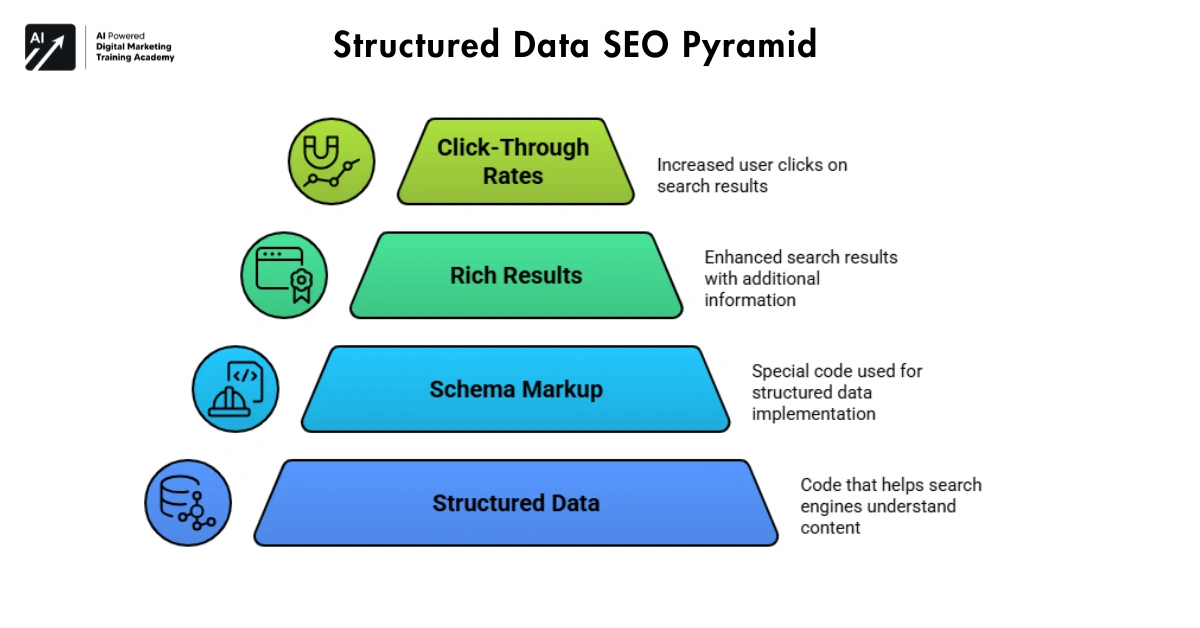 Structured data helps search engines understand the meaning of website content.
It uses special code called schema markup.
For example, structured data can identify:
- Articles
- Products
- Reviews
- FAQs
When structured data is implemented correctly, search engines may display rich results.
These enhanced results often include ratings, images, or additional information.
As a result, structured data can improve click-through rates.
Website Security and HTTPS
Security is another important aspect of technical SEO. Search engines prefer secure websites because they protect user data.
HTTPS encrypts the connection between the website and the user. Websites that still use HTTP may display security warnings in browsers.
Therefore, installing an SSL certificate is essential. Secure websites build trust and improve search rankings.
Common Technical SEO Mistakes
Many websites make simple technical mistakes that affect rankings.
Slow Website Speed
Heavy images and large scripts often slow down websites.
Broken Links
Broken links create poor user experience and waste crawl budget.
Incorrect Robots.txt Settings
Blocking important pages can prevent them from appearing in search results.
Duplicate Content
Duplicate pages confuse search engines and dilute ranking signals.
By fixing these issues, websites can improve their technical performance.
Technical SEO Audit Process
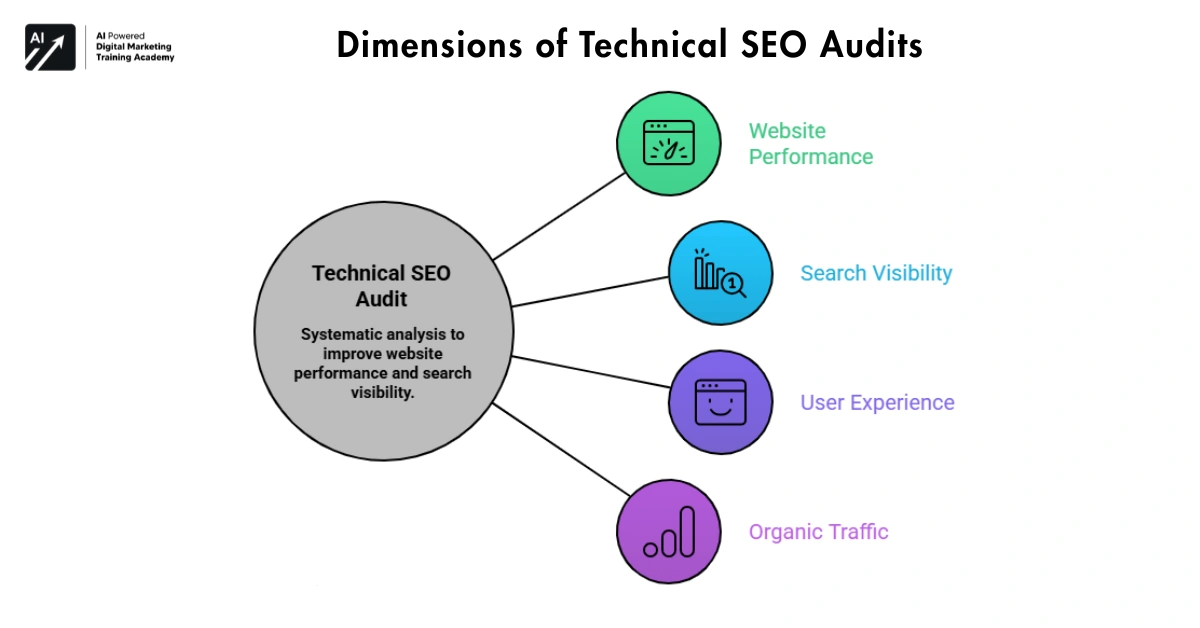 A technical SEO audit helps identify problems that affect search visibility.
Check Crawling Status
Tools like Google Search Console help monitor crawling activity.
Analyze Page Speed
Performance tools can identify slow pages and optimization opportunities.
Identify Errors
Look for broken links, redirect chains, and indexing problems.
Review Mobile Performance
Ensure the website works smoothly on smartphones and tablets.
Regular audits help maintain a healthy website.
Technical SEO Tools
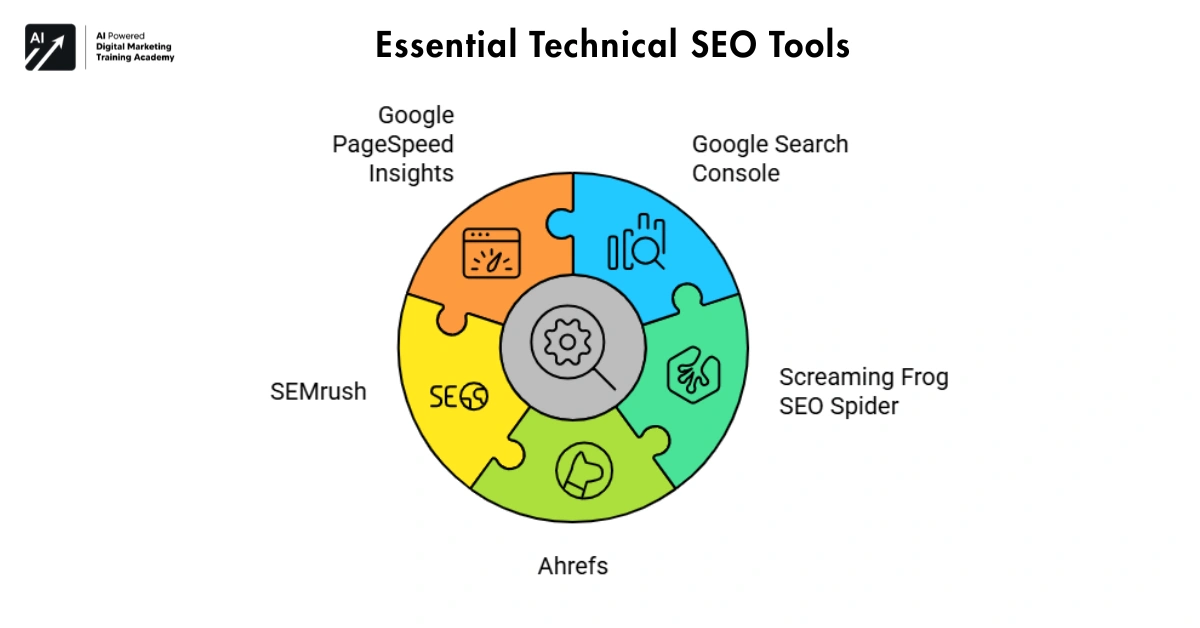 Several tools help analyze and improve technical SEO.
Common tools include:
These tools help with crawling, indexing, and performance issues.
Technical SEO Best Practices for long-term success
Important practices include:
- Maintain a clear website structure
- Improve page speed
- Optimize for mobile devices
- Use secure HTTPS connections
- Fix broken links regularly
- Monitor technical performance
Regular monitoring ensures the website remains optimized.
Future of Technical SEO
The world of SEO keeps changing.
These days with the rate at which technologies like Search engines are changing, we cannot help but wonder what is making it possible to do so in a short span of time. It is none other than Artificial intelligence and Machine learning.
Some fairly recent studies from Search Engine Land have indicated that new signals have been added to search engine algorithms to gather information from a user’s behavior on your site to impact the ranking of your site on search engines.
Final Thought
Technical SEO is the backbone of any website. Without proper technical optimization, Search engines may not be able to crawl, index and rank pages.
Improving your website structure, speeding up your website, incorporating structured data and resolving technical issues can lay the groundwork for search visibility.
Furthermore, regular audits and continuous improvements help maintain website performance.
Technical SEO on its own isn’t enough to ensure you are successful. To deliver lasting SEO results, you need great content and a great user experience.
In the end, technical SEO isn’t really about search engines. It’s about having a fast site, an organized site, a secure site that is easy for users and search engines to navigate.