


A few years ago, adding tracking to a website required constant developer support. This is where GTM Tagging Skills and Google Tag Manager are so useful. If a marketer wanted to track a form submission or button click, they often had to request code changes. This made simple analytics tasks slow and complicated.
But modern websites move faster now and marketing teams launch campaigns frequently. Websites change regularly and also customer behavior becomes more complex.
As a result, tracking was required to change too. This is where GTM Tagging Skills is so useful. It enables webmasters to keep their tracking tags, marketing scripts and analytics tools in one interface without changing the website.
Some website owners learn how to use GTM effectively and others rely only on basic analytics. That small difference creates a major advantage and the truth is simple. Tag management itself is not difficult. But the skills required to organize tracking intelligently are becoming more valuable every year.
Tagging Strategy Thinking Tracking What Actually Matters
What Is Tagging Strategy?
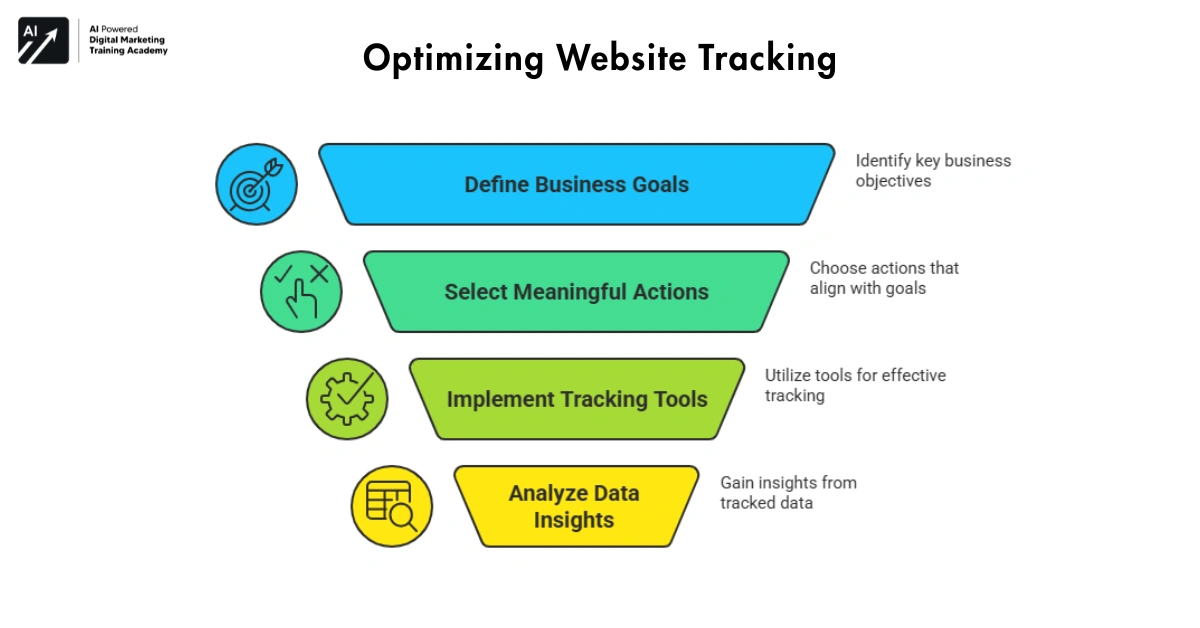
Tagging strategy means deciding what actions on your website should be tracked and many beginners install tags randomly. They track everything without a clear purpose, but smart tagging focuses only on meaningful interactions.
Examples include:




- Button clicks
- Form submissions
- Product views
- Newsletter signups
- Purchase confirmations
Instead of measuring everything, you measure what helps your business grow.
Why Tagging Strategy Matters
Tracking too many events creates confusion and tracking too few creates blind spots.
People who understand tagging strategy can:
- Track meaningful user actions
- Improve marketing insights
- Reduce messy data
Recommended Tools for Tag Strategy
- Tag management platforms
- Website tracking dashboards
- Digital analytics systems
The real skill is not installing tags and real skill is deciding what deserves to be measured.
Trigger Logic Understanding When Tags Should Fire
What Is Trigger Logic?
Triggers tell Google Tag Manager when a tag should activate.
For example, a tag may fire when:
- A page loads
- Button is clicked
- User submits a form
- Visitor scrolls through a page
- Triggers act like instructions.
They control when data is collected.
Why Trigger Skills Matter
Incorrect triggers create inaccurate analytics. If triggers fire at the wrong moment, you collect misleading data.
People who understand trigger logic can:
- Track events more accurately
- Avoid duplicate tracking
- Improve analytics reliability
Recommended Trigger Tools
- Event-based tracking systems
- Interaction monitoring tools
- Tag firing logic platforms
Triggers turn basic tracking into precise measurement.
Data Layer Thinking The Foundation of Clean Tracking
What Is the Data Layer?
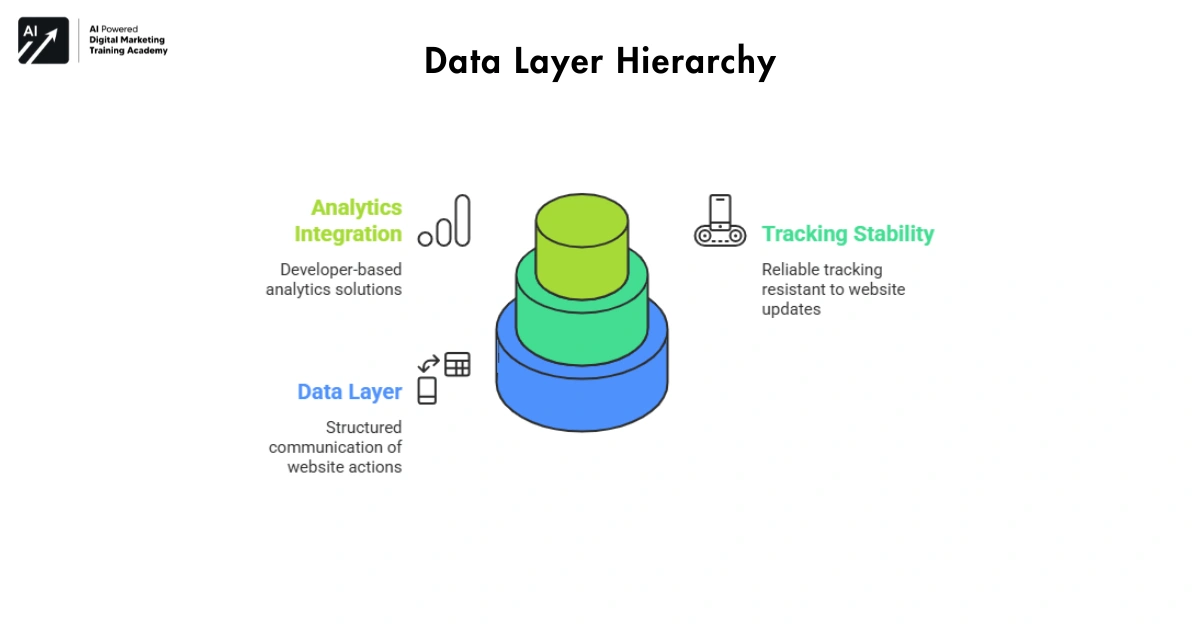
The data layer is a structured way for a website to send information to GTM Tagging Skills. Instead of guessing what happens on a page, the website clearly communicates actions.
For example, the data layer can send information like:
- Product name
- Transaction value
- User login status
- Cart activity
This creates clean and reliable tracking.
Why Data Layer Skills Matter
Without a data layer, tracking often becomes fragile and small website updates can break tags. But when tracking relies on a structured data layer, it becomes stable and scalable.
Recommended Data Layer Tools
- Structured event tracking systems
- Website interaction frameworks
- Developer-based analytics integrations
The data layer is the invisible backbone of modern analytics tracking.
Tag Organization Keeping Tracking Systems Clean
What Is Tag Organization?
As websites grow, the number of tracking tags also grows. Without proper organization, GTM Tagging Skills containers can become messy and tags may overlap or duplicate each other.
Tag organization includes:
- Clear naming conventions
- Folder structures
- Logical tag grouping
Why Organization Matters
Poor organization creates long-term problems and new team members struggle to understand the system. Old tags remain active even when they are no longer needed.
People who maintain organized containers can:
- Manage tracking efficiently
- Prevent duplicate scripts
- Improve long-term maintainability
Recommended Organization Tools
- Tag management dashboards
- Container documentation systems
- Digital tracking inventories
Good organization makes complex tracking manageable and scalable.
Debugging Skills Finding Tracking Errors Quickly
What Is Debugging in GTM?
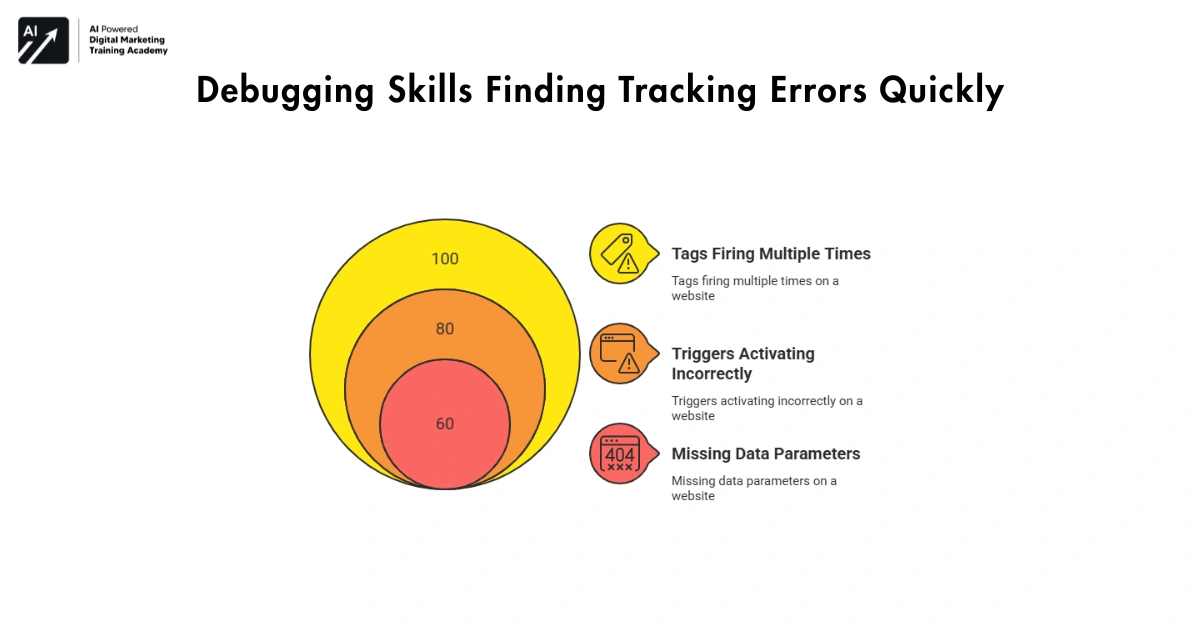
Debugging is testing to make sure your tracking is working. GTM has an already built-in Preview Mode, in which you can see how your tags fire on a website.
It helps you recognize issues such as:
- Tags firing multiple times
- Triggers activating incorrectly
- Missing data parameters
Why Debugging Matters
Even slight discrepancies in tracking may provide wrong analytics. Companies might make improper decisions.
Individuals with debugging knowledge can:
- Detect tracking problems early
- Fix measurement issues quickly
- Maintain accurate analytics
Recommended Debugging Tools
- Tag testing environments
- Event monitoring systems
- Website tracking validation tools
Debugging ensures that your data remains trustworthy.
Consent and Privacy Awareness Modern Tracking Responsibility
Defining Privacy-Aware Tracking
In the Modern Context Concepts of privacy-aware tracking have been around for years, but they have just recently become relevant today. Many regions require websites to manage consent before tracking certain activities.
GTM Tagging Skills helps manage consent signals for tools like Google Analytics 4. Tags can be configured to fire only after users provide permission.
The importance of privacy skills.
There is a worldwide tightening of data privacy.
Websites that ignore consent rules risk:
- legal issues
- data loss
- user trust problems
Understanding privacy-aware tracking helps businesses collect data responsibly.
Recommended Privacy Tools
- Consent management platforms
- Privacy-compliant tag systems
- User permission tracking dashboards
Accountability in tracking ensures the safety of users and the business.
Marketing Integration Connecting Tracking With Campaigns
What Are Marketing Integrations?
GTM Tagging Skills allows websites to connect tracking with advertising and marketing tools.
For example, tags can track campaign performance on platforms such as:
- Google Ads
This allows businesses to understand how marketing campaigns perform after visitors arrive on the website.
Why Integration Skills Matter
Marketing data often stays scattered across platforms and integration connects those data points.
People who understand marketing integrations can:
- Track campaign conversions
- Measure advertising ROI
- Improve targeting strategies
Recommended Integration Tools
- Marketing analytics platforms
- Cross-platform tracking systems
- Campaign performance dashboards
When tracking and marketing connect, insights become much more powerful.
Common GTM Mistakes That Break Analytics
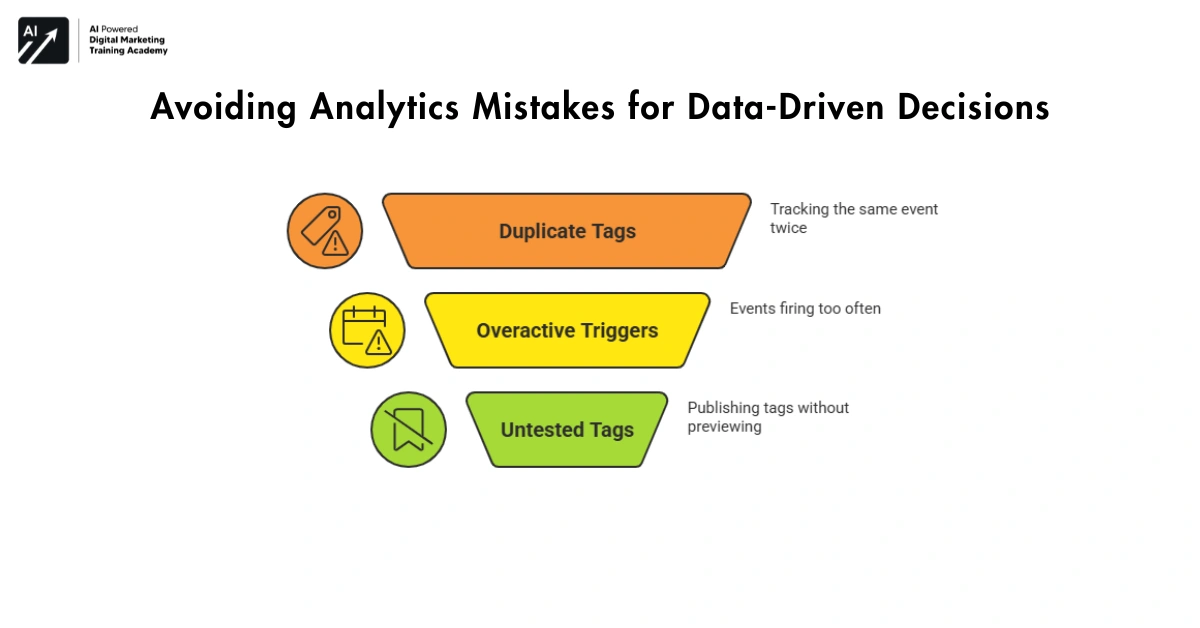
Even experienced website owners sometimes make simple tagging mistakes. These mistakes may look small but they can quietly damage analytics accuracy.
Many businesses believe their tracking works perfectly until they discover that important events were never recorded correctly. Understanding common mistakes helps prevent long-term data problems.
Mistake 1: Duplicate Tags
Sometimes the same analytics tag is installed both:
- Inside the website code
- Inside GTM
- This causes the same event to be tracked twice.
Result:
Analytics reports become inflated and misleading.
Mistake 2: Triggers That Fire Too Often
Beginners often use triggers like:
- Fire on all pages
- Even when the event should only happen on one page.
- This causes events to trigger repeatedly and makes reports unreliable.
Mistake 3: Tracking Without Testing
Many teams publish tags without using Preview Mode.
This creates situations where:
- Events never fire
- Parameters are missing
- Conversions are not recorded
Who Should Care About This
This knowledge is especially useful for:
- SEO specialists
- Performance marketers
- Analytics managers
- Website owners running ads
Because incorrect tracking directly affects campaign performance decisions.
Why This Matters in 2026
Decisions within digital marketing are rapidly becoming more and more data driven.
If tracking errors exist, businesses may:
- Invest in the wrong marketing channels
- Misjudge campaign success
- Lose advertising budget
In 2026, accurate measurement will be more important than simply generating traffic. Avoiding tagging mistakes will become a key skill for digital teams.
Continuous Tracking Optimization Improving Data Over Time
What Is Tracking Optimization?
Tracking systems should not remain static and as websites evolve, tracking setups must also improve.
Optimization includes:
- Updating tags
- Refining triggers
- Improving event definitions
- Removing outdated scripts
Why Optimization Matters
A tracking system built today may not fit future needs. Regular improvements keep analytics systems relevant.
People who optimize tracking continuously can:
- Maintain clean analytics data
- Adapt to new marketing strategies
- Support business growth
Recommended Optimization Tools
- Tracking audits
- Analytics performance reports
- Tag management monitoring systems
- Tracking is not a one-time setup.
- It is an ongoing process of improvement.
Variable Management Making Tracking More Dynamic
What Are Variables in GTM?
Variables are pieces of information that tags and triggers use while collecting data. Instead of creating separate tags for every situation, variables allow you to reuse information dynamically.
For example, variables can capture details such as:
- Page URL
- Button text
- Click classes
- Product value
- Form field data
Variables act like placeholders that help tags understand what is happening on a website. This makes tracking systems more flexible and efficient.
Why Variable Skills Matter
Without variables, tracking setups can become repetitive and complicated.
People who understand variables can:
- Simplify complex tracking setups
- Reuse information across multiple tags
- Create scalable analytics systems
Variables allow tracking systems to become smarter and easier to manage.
Recommended Variable Tools
- Tag variable configuration panels
- Event data monitoring systems
- Dynamic parameter tracking tools
Variables make tagging systems more powerful without adding unnecessary complexity.
Tag Auditing Maintaining a Healthy Tracking System
What Is Tag Auditing?
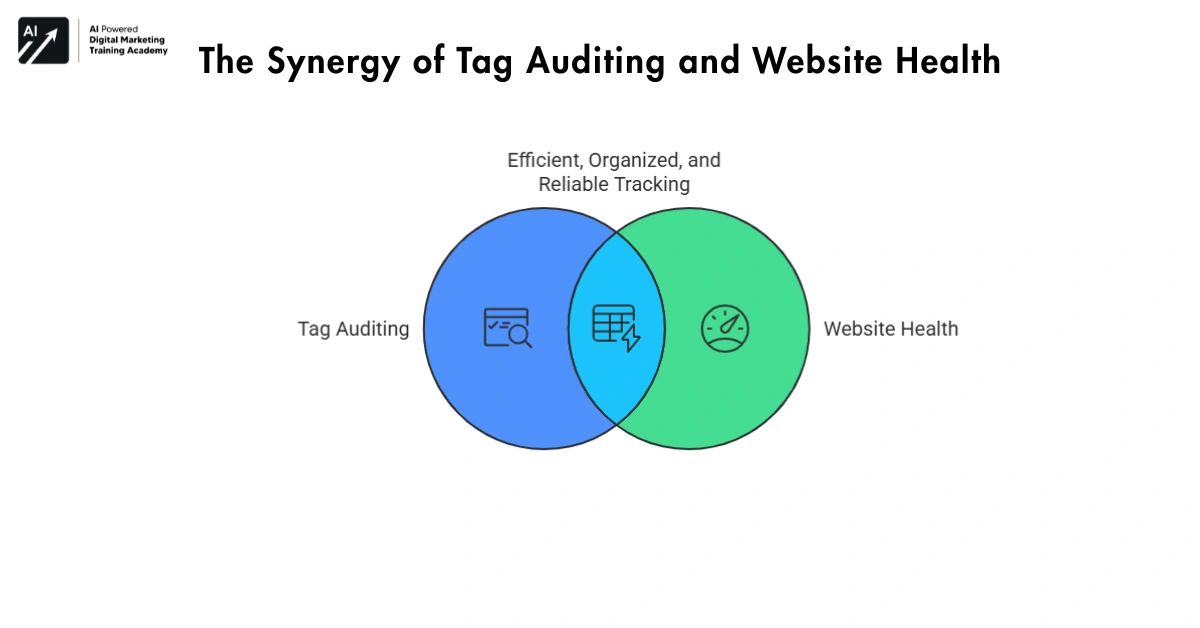
Over time, websites collect many tracking scripts and tags and some campaigns end. Few tags become outdated and some scripts seem to keep running even if they are defunct. Tag auditing involves having a regular audit of your tracking container to see which tags are still relevant.
Why Tag Auditing Matters
Too many unused tags can create problems such as:
- Slower website performance
- Confusing analytics data
- Conflicts between scripts
People who perform regular audits can:
- Remove outdated scripts
- Keep tracking containers clean
- Improve overall analytics accuracy
Recommended Auditing Tools
- Tag monitoring dashboards
- Container review systems
- Analytics validation platforms
Regular auditing which helps and also ensures that your tracking system stays efficient, organized, and reliable.
Cross-Domain Tracking Connecting Multiple Websites
What Is Cross-Domain Tracking?
Some businesses operate more than one website.
For example, a company might have:
- Main marketing website
- Separate checkout platform
- Customer support portal
- Learning platform
If configured incorrectly, analytics tools will measure visitors who visit both websites as two different visitors. Cross domain tracking addresses this by enabling the tracking system to identify the same visitor across a number of sites.
Why Cross-Domain Tracking Matters
When switching domains, business may not have the whole customer journey. This can be confusing to read in your analytics reports.
Cross-domain tracking experts can:
- Link dispersed user journeys
- Improve conversion attribution
- Measure complete customer paths
Recommended Cross-Domain Tools
- Multi-domain tracking configurations
- Session linking systems
- Customer journey analytics platforms
Cross-domain tracking helps businesses see the full user journey instead of isolated visits.
Step-by-Step Tag Creation
How to Create a Tag
Open Google Tag Manager- Select “Tags” → “New” → Select tag type. For example GA4 Event, Google Ads Conversion. Specify the tag name distinctly, for example, “GA4 – Form Submission”. Specify the trigger: specify relative trigger criteria, for example, page loading, clicking, submitting. Configure tag settings: set parameters or measurement ID. Save and test in Preview Mode before publishing.
Why Step-by-Step Setup Matters
- Ensures tags fire correctly.
- Avoids collecting wrong data.
- Simplifies future edits or audits.
Tips
- Always give descriptive names.
- Group related tags in folders.
- Test each tag individually before making it live.
Data Layer Implementation
What Is a Data Layer Push
Data layer is a structured way to send info to GTM.
Why It Matters
- Makes tracking stable even if website code changes.
- Helps create accurate tags and triggers.
- Avoids broken or missing analytics.
Tips
- Always push meaningful info: product, category, value.
- Use consistent naming for variables.
- Test in Preview Mode to confirm data appears.
Advanced Trigger Configuration
How to Set Triggers Accurately
- Click “Triggers” → “New” → “Choose type”: Page View, Click, Form Submission, or Custom Event.
- Add conditions: e.g., only fire on /checkout page or if button ID=submit Form.
- Use boolean operators AND/OR for combining conditions.
Why Advanced Triggering Matters
- Prevents tags from firing too early or too late.
- Avoids duplicate or missing events.
- Ensures reliable analytics for decision-making.
Tips
- Use Click Classes/IDs for button tracking.
- Use URL contains/exact match for page-specific events.
- Test with multiple scenarios to ensure accuracy.
Variables Setup for Flexible Tracking
How to Use Variables in GTM
Variables store info tags and triggers use.
Examples:
- Page URL → {{Page URL}}
- Button text → {{Click Text}}
- Product price → custom variable from data layer
Reuse variables in multiple tags instead of creating new ones.
Why Variables Matter
- Reduces repeated setup work.
- Makes tracking scalable and maintainable.
- Helps capture dynamic values automatically.
Tips
- Name variables clearly.
- Use built-in GTM variables where possible.
- Test variable outputs in Preview Mode before connecting to tags.
Cross-Domain Tracking Setup
Follow people around on your multiple websites (Cross-Domain Tracking) in GA4 and GTM. Add domains to Auto Link Domains in GA4 configuration tag. Ensure the same tracking ID is used across domains. Test paths using DebugView to confirm one user journey is recorded across sites.
Why Cross-Domain Tracking Matters
Accurately tracks users moving between marketing sites, checkout sites, and support portals. Provides a complete picture of conversion paths and also prevents double-counting visitors.
Tips
- Use User ID if users log in.
- Test for multiple devices to ensure session continuity.
- Would you like to combine with event parameters to improve user behavior understanding
Debugging and Testing Techniques
How to Debug Tags Effectively
Activate Preview Mode in GTM Tagging Skills and interact with your site and check which tags fire.
Look for issues:
- Tags not firing
- Multiple tag firings
- Missing variables or parameters
Adjust triggers, tags, or data layer as needed.
How Debugging Is Important
- Ensures that data collection is accurate.
- Ensures campaigns are correctly tracked in marketing analysis.
- Saves time while maintaining analytics in the long run.
Tips
- Test each tag independently.
- Check all browsers and devices.
- Maintain a debug checklist for consistent quality.
Tag Audits for Long-Term Health
How to Audit Your Tags
Schedule regular reviews of GTM Tagging Skills containers.
Identify:
- Unused tags
- Deprecated triggers
- Broken variables
Remove unnecessary tags to improve performance and clarity.
Why Auditing Matters
- Keeps analytics data clean and accurate.
- Reduces website load and conflicts between scripts.
- Ensures new team members can understand tracking setup.
Tips
- Document all changes during audits.
- Combine audit with Preview Mode testing.
- Keep a log of removed or modified tags for future reference.
Tracking Documentation Creating Long-Term Clarity
What Is Tracking Documentation?
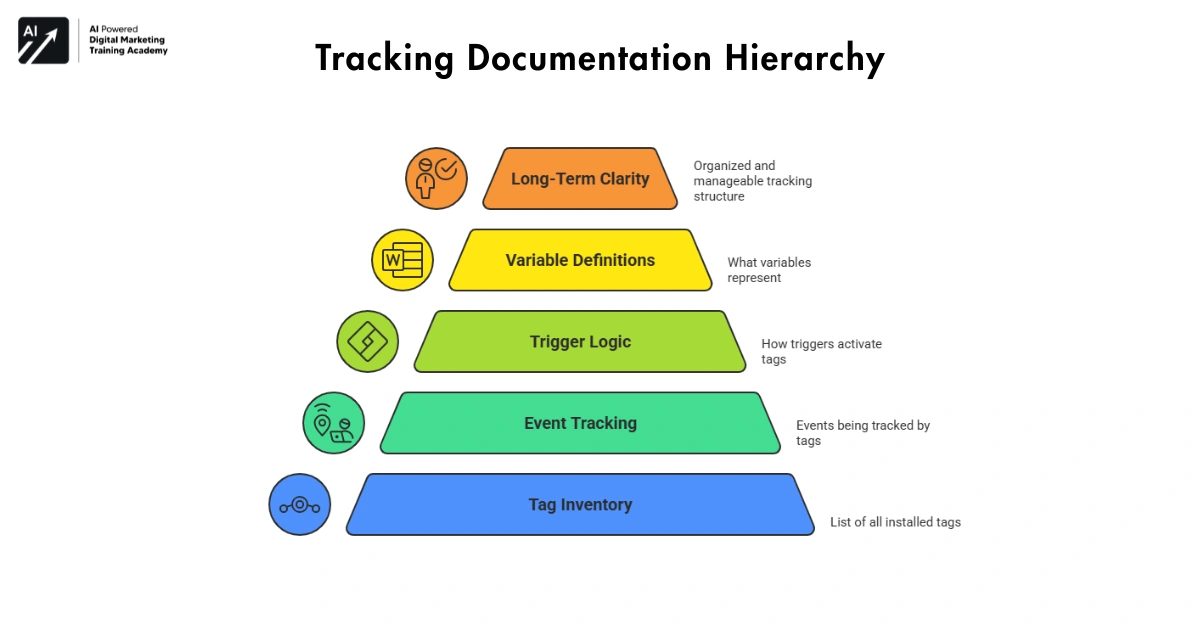
Tracking documentation means maintaining a clear record of your analytics and tag management setup. Over time, websites accumulate many tags, triggers, and variables. If there is no documentation it is quite difficult to know what makes everything tick.
The documentation might look like:
- Which tags are installed
- What events are being tracked
- How triggers activate tags
- What variables represent
Why Documentation Matters
Websites evolve and teams change and without proper documentation, new team members may struggle to understand the tracking system.
People who maintain clear documentation can:
- Avoid duplicate tracking setups
- Reduce implementation mistakes
- Maintain long-term system clarity
Recommended Documentation Tools
- Analytics implementation documents
- Tracking architecture diagrams
- Tag inventory management systems
Proper documentation will help keep your tracking structure organized, scalable and manageable for the long term.
Final Thoughts: Why GTM Skills Are Becoming Essential
Modern websites depend on data, but data only becomes valuable when it is collected correctly. Tools like Google Tag Manager make tracking easier.
Yet the real advantage comes from understanding how to use these tools intelligently and tag strategy reveals what to measure and trigger logic ensures accurate tracking.
- Data layers create stable systems.
- Organization keeps containers clean.
- Debugging protects data quality.
- Privacy awareness builds trust.
Marketing integrations connect insights to campaigns and optimization improves systems over time. Together, these skills turn basic tracking into a powerful foundation for digital growth. In the coming years, successful websites will not only attract visitors. They will understand them deeply through smart measurement systems.